

VAG MQB EA888 Gen 3 CJX
This base map is for the EA888 Gen 3 CJX engine and covers the whole range of VAG MQB platform cars equipped with it:
- Audi S3 8V
- Audi TTS
- Seat Leon Cupra
- Volkswagen Golf 7 R
- Skoda Octavia RS
The base map controls the following:
- GDI injectors
- GDI high-pressure fuel pump
- Port injectors
- DSG DQ250 MQB transmission
- CAN stream for the MQB platform body
- Electronic thermostat with SENT protocol position sensor
- Audi Valvelift System (AVS)
- Variable valve timing (VVT)
- Intake flaps
- Electronic blow-off valve (BOV)
- Oil pressure regulation valve
- Oil piston jets valve
- Knock control
- Low-pressure fuel pump
- Electronic wastegate
- Electronic throttle
- PWM radiator fan
Mapped for stock car parts:
- Launch control (DQ250 MQB transmission only)
- RPM matching (DQ250 MQB transmission only)
- Cruise control
Mapped but disabled:
- Anti-lag system (mapped for stock engine parts without catalytic converter)
Modifications:
- Exhaust system without catalytic converters
- LSU 4.9 sensor installed in the downpipe (OEM oxygen sensor is not supported)
Setup Details:
Tuned Power Output:
- Power: 341 HP
- Torque: 418 Nm
- Boost Pressure: 140 kPa (1.4 bar)
- Fuel: RON98
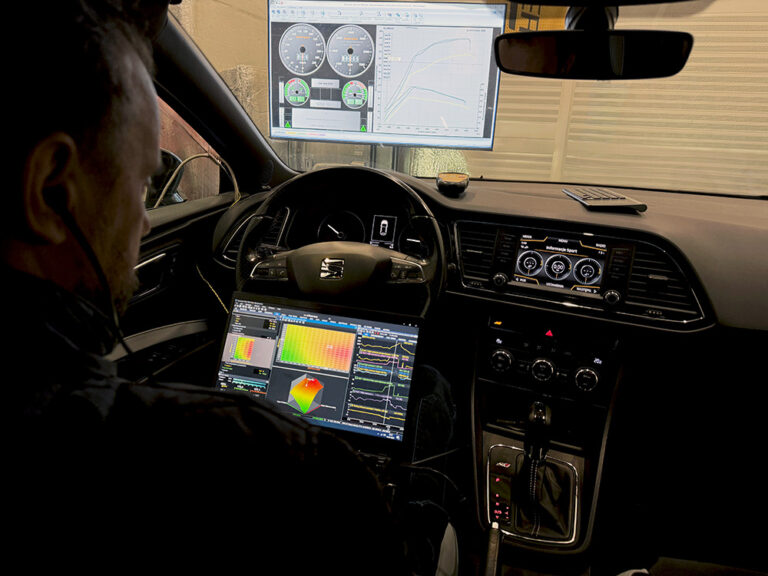
- Tuned on a dyno
 |
Downloads
Full Description and Specifications
How to Load This Base Map
1. Download EMU PRO software version 261.2.2 or later:
https://www.ecumaster.com/products/emu-pro/2. Open the Base Map Loader (File / Load Base Map…)
3. Select the base map for your engine
For more details, see:
How to Load Base Maps in EMU PRO⚠ Before loading to your ECU:
This base map is a starting point for tuning. It is not guaranteed to work correctly out of the box and may require adjustments to fit your particular setup.
Verify that all assigned outputs match your wiring. In the software, go to Tools / Assigned outputs and Tools / Assigned inputs. If the assignments do not match, do not load the map to your ECU. Adjust the outputs as necessary before proceeding.
